
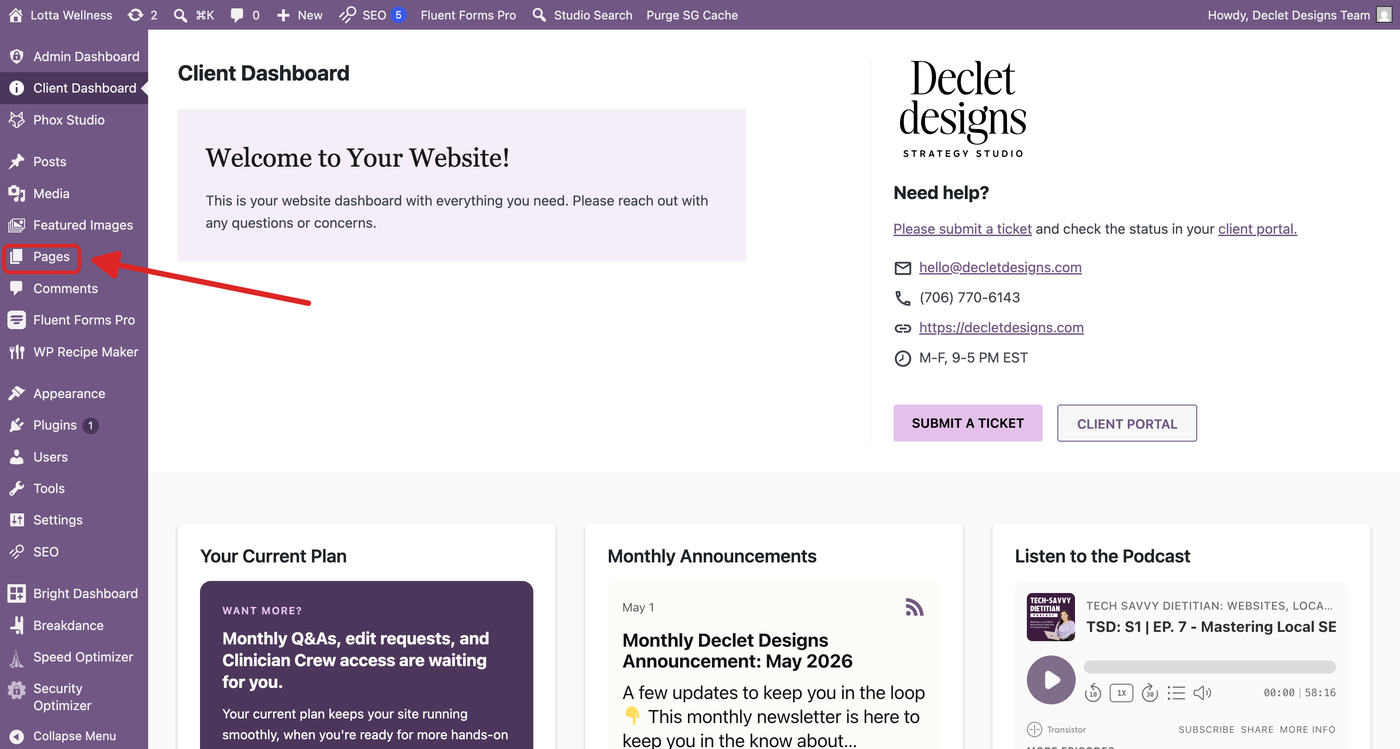
Step 1: Login to your WordPress dashboard and click on ‘Pages’
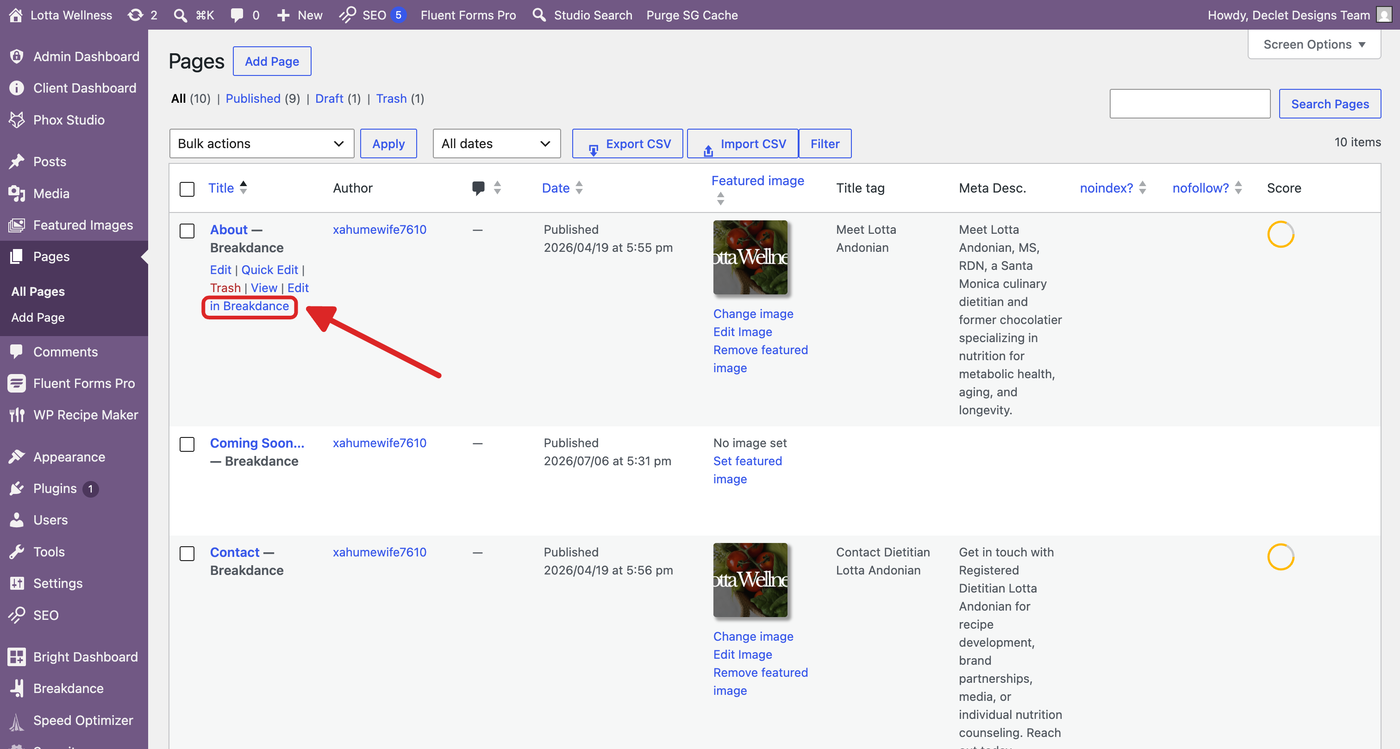
Step 2: Click ‘Edit in Breakdance’ on the page you want to edit.
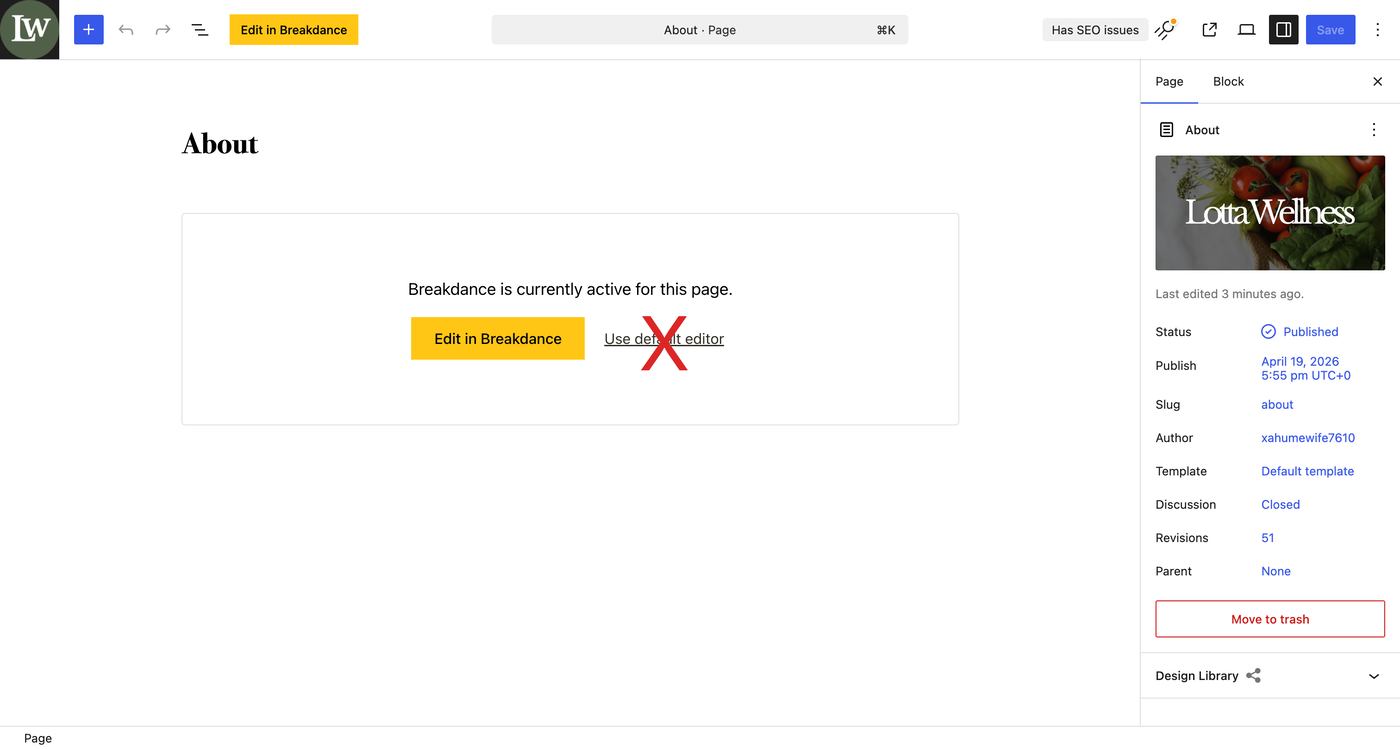
NEVER CLICK ‘USE DEFAULT EDITOR’ ON A PAGE BUILT WITH BREAKDANCE. THIS WILL BREAK YOUR PAGE
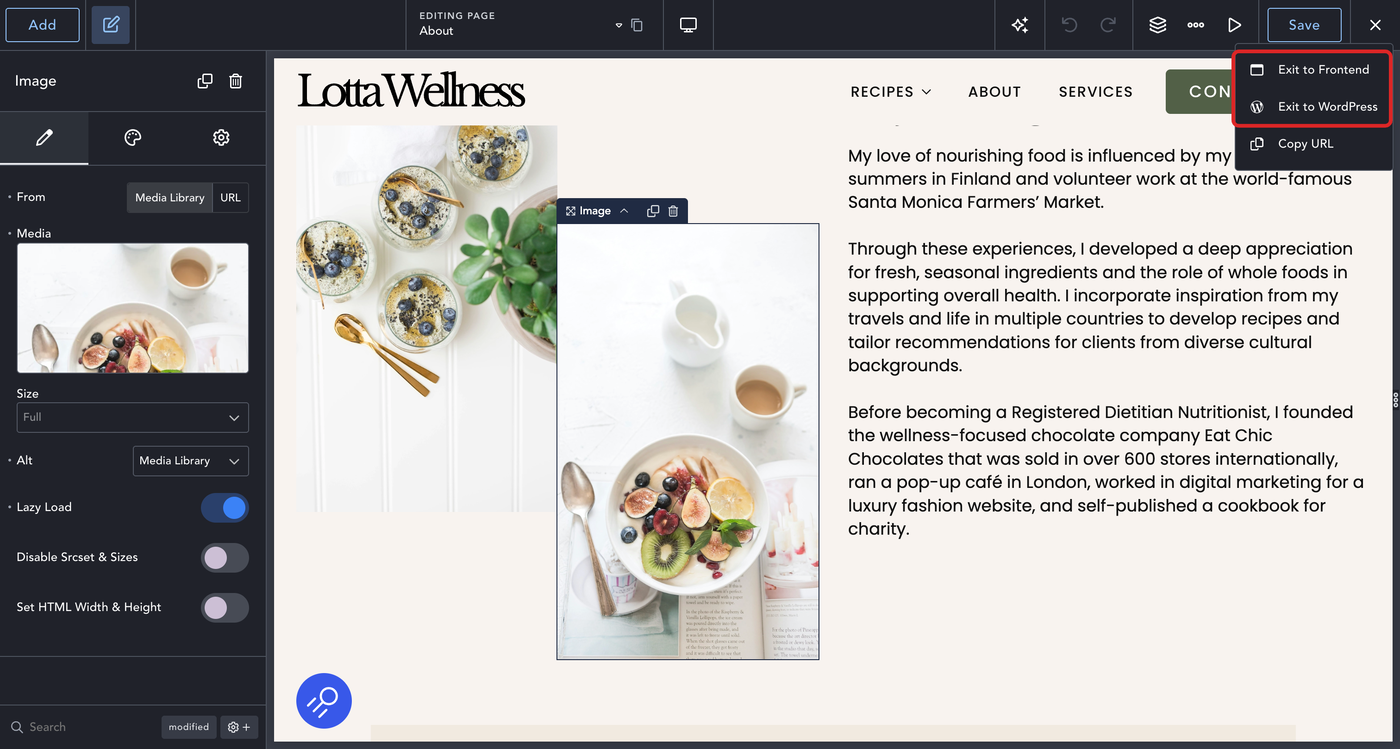
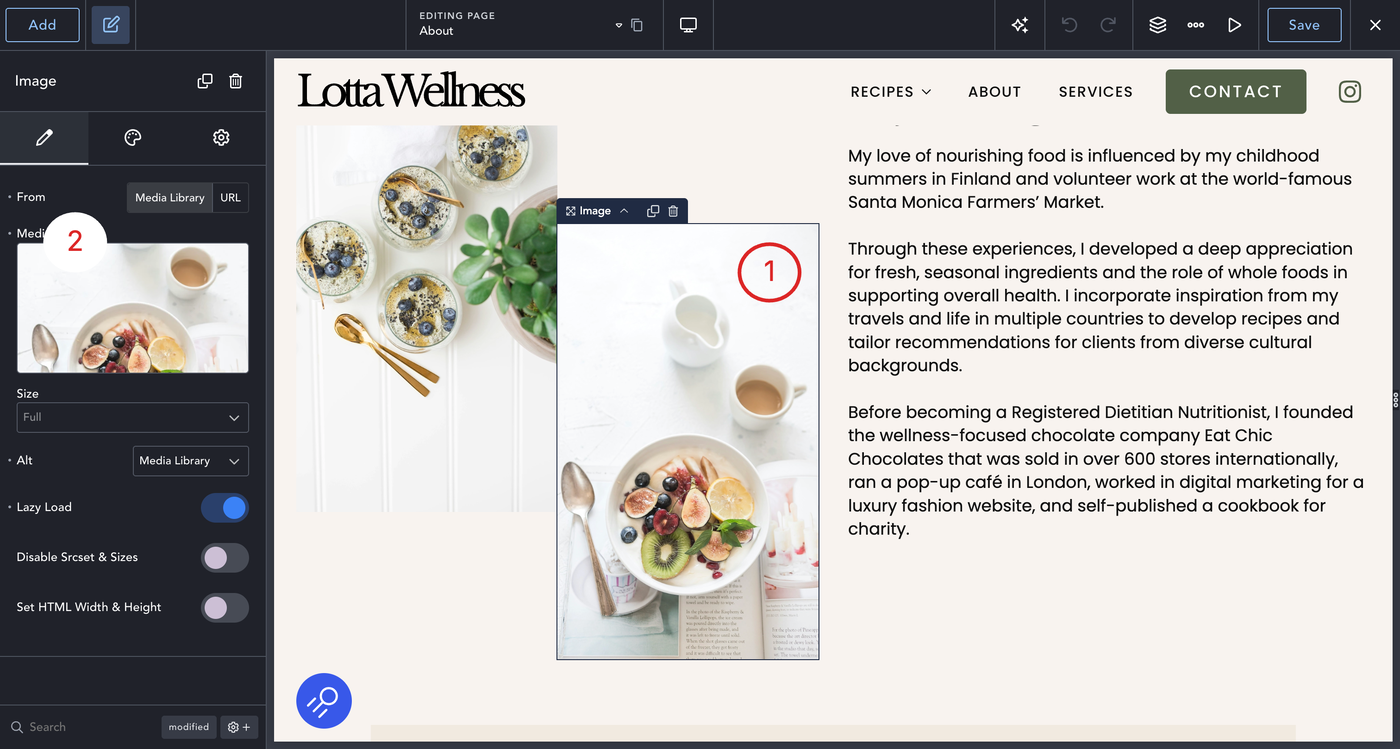
Step 3: Click on the image you want to change (1), then Click on the sidebar where the image is under ‘media’ (2)
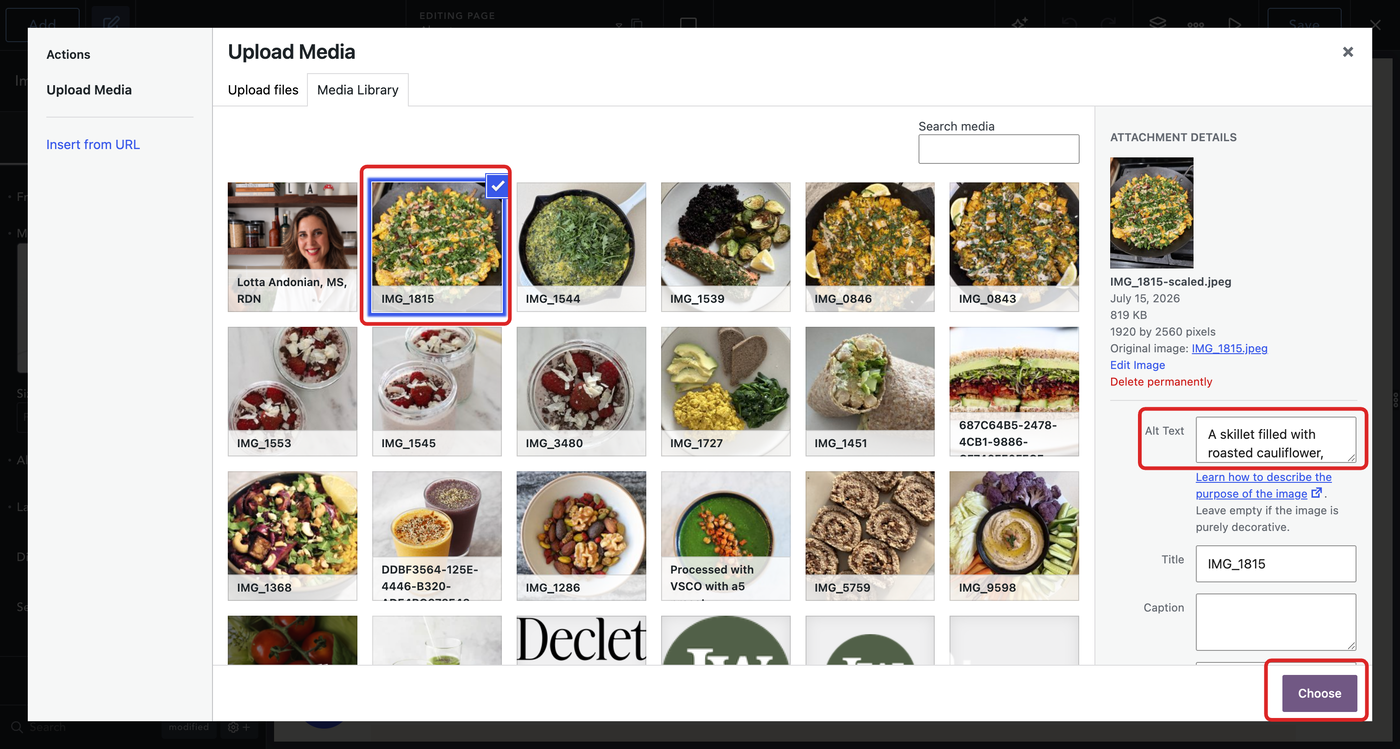
Step 4: Your media library will pop up, choose the image you want to use, be sure to write an alt text description for the image and that the image is optimized.
Step 5: Once you’re ready, click the ‘Save’ button in the top right corner
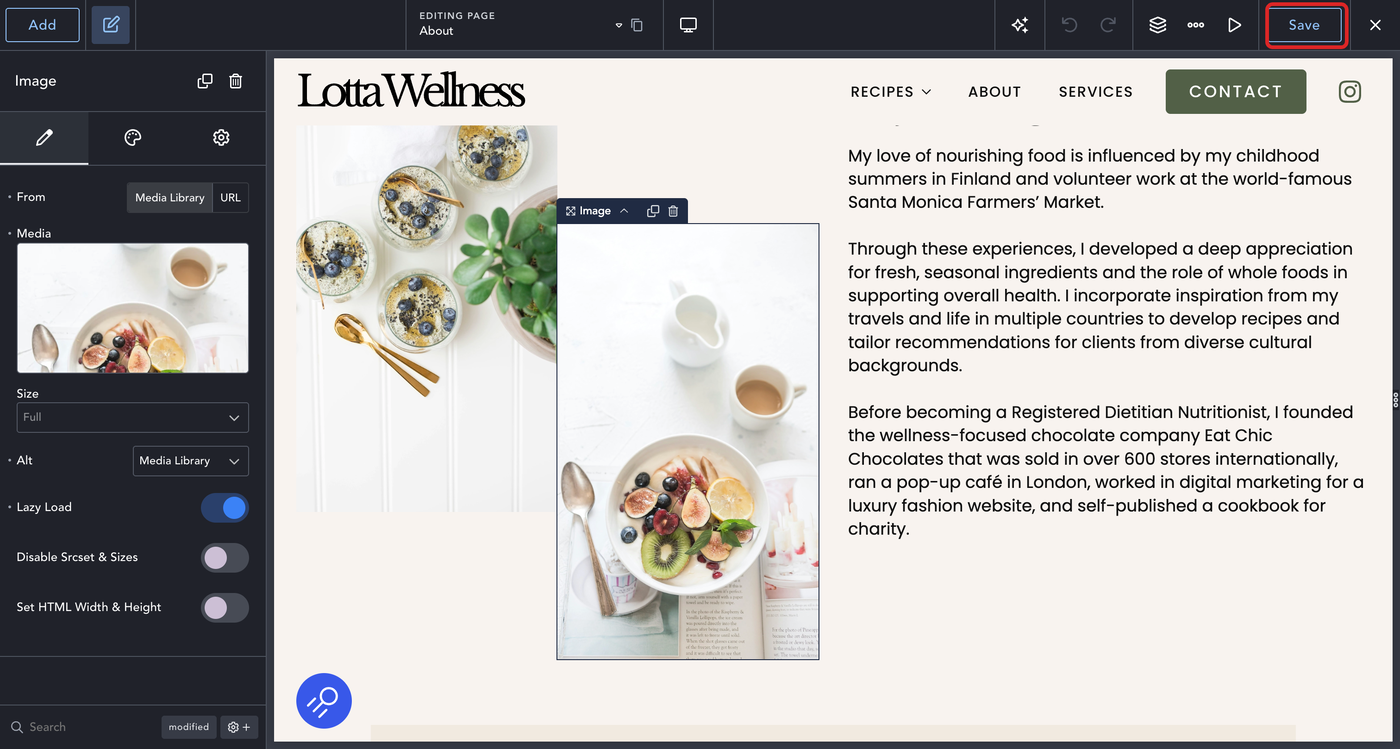
Step 6: You can save and exit to the frontend or back to WordPress